 Native for Mac, iPhone & iPad
A layer editor for promo video.
Record screen or camera, keyframe any layer, export video, stills, or GIF. Mac now. iPhone and iPad open the same .promo folder.
Free exports carry a watermark. PromoShot Pro removes it, one time. Windows and Linux coming.
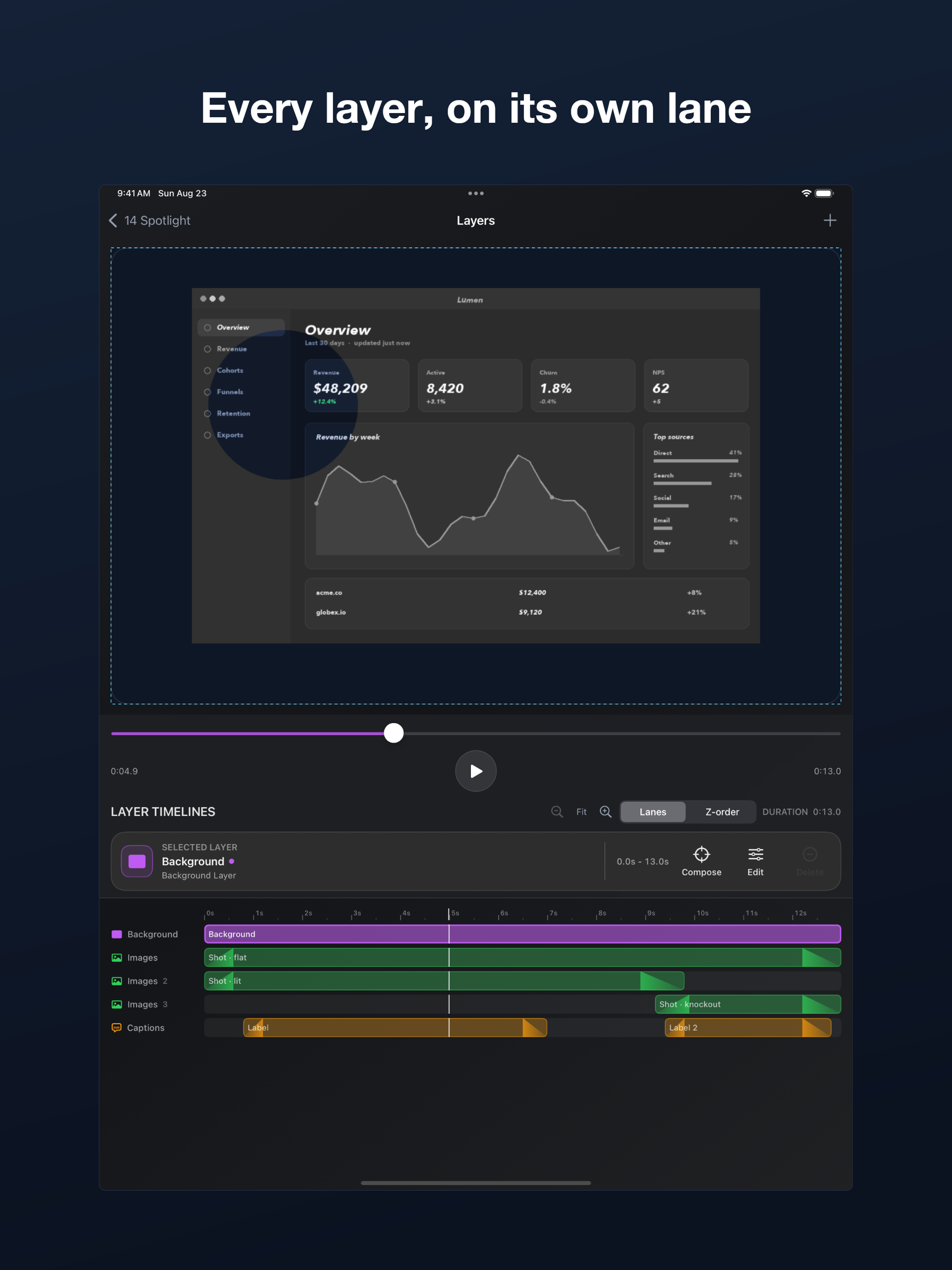
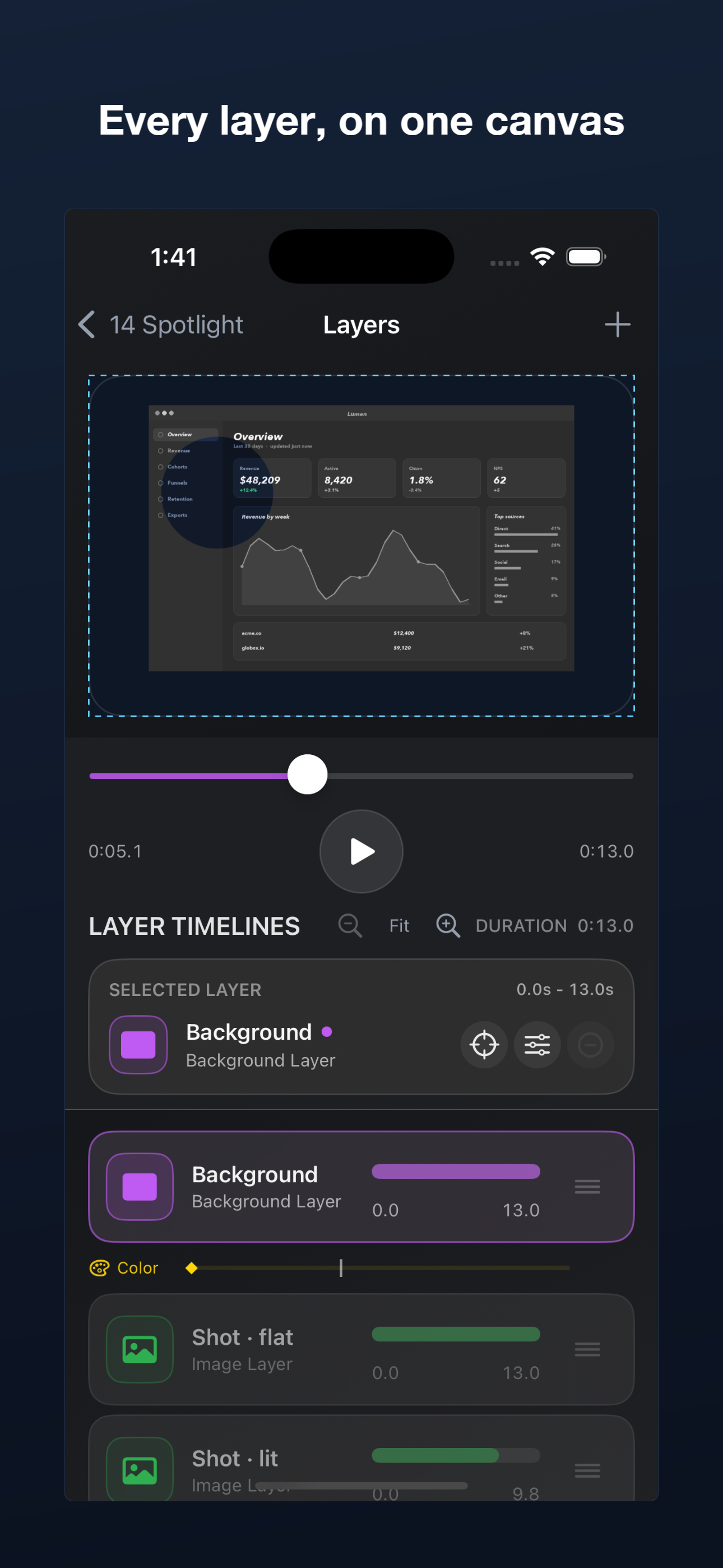
Record your screen or your camera, import media, arrange layers on a timeline, then keyframe anything that moves: position, scale, rotation, opacity, color, and more. Everything renders on a GPU compositing engine, so scrubbing stays responsive on long 4K sources and exports finish sooner.
Made for app makers, creators, founders, and marketers who want a real editor without a subscription or a week of learning it.
Automation — in the Mac app
Switch on Automation and an AI assistant can take a screenshot or a recording, layer it, key a move, caption it, and render a still, a GIF, or a video — MCP on this Mac. You nominate the projects folder; everything inside it is pre-approved, so the assistant never has to keep asking. An installable skill teaches the assistant the project format. Part of the app — no subscription, no separate purchase. Off the Mac, the same job runs headless: headless MCP → Watch five of those jobs on the web: Demos →
Open source engine
The Rust video engine behind PromoShot is open source (Apache-2.0): author a video as JSON, render it anywhere. A CLI and an MCP server for AI agents, built on wgpu and ffmpeg, render byte-for-byte the same compositor the apps ship — headless, no GPU required, on Linux. Automation above stays the easiest way to drive PromoShot from an AI assistant on the Mac; this is the same engine for everywhere else — CI, a Linux box, or your own tooling. Headless MCP · Linux & CI · Watch demos · View on GitHub →
Animate
- Keyframe position, zoom, rotation, opacity, and color — each on its own lane, with its own timing and easing
- Drag a keyframe along its lane to retime it
- Bend a move along a curve you draw, with motion paths
- Motion blur from a camera shutter you set per layer
- Play any clip at the speed you want
Compose
- Video, image, drawing, caption, audio, and background layers
- Masks — window a layer with a shape you draw, then move, scale, and spin that window on its own clock, independently of the footage behind it
- Color grade per layer: saturation, contrast, brightness, and tint, plus one-click filters
- Blend modes — screen, multiply, and add
- Viewports — pan and zoom inside a layer without moving it on the canvas
- Sprite sheets, gradient backgrounds, and a reusable project palette
Text
Captions with custom fonts, colors, alignment, padding, outline, and shadow. Text that arrives: types on letter by letter, or assembles word by word. Record voice clips, or have typed lines spoken — bring your own OpenAI, ElevenLabs, or Google Cloud account.
Sources
- Capture your screen or a camera, or import videos and images
- Trim a video before you place it, and name sub-ranges to reuse as separate clips
- Create image cuts from one photo and reuse them as separate layers
- Long 4K sources scrub through a lightweight proxy, so the playhead keeps up
Timeline & export
- Set layer start times, durations, order, visibility, position, scale, and style
- Anchor a layer to its neighbor — "start when the clip below ends" — and it stays true when you retrim
- A Lanes view packs layers that never overlap onto shared rows, so a long slideshow reads as a few rows instead of hundreds
- Finished videos, selected frames as image sets, or GIF
- On Macs with more than one hardware encode engine, exports split across encoders and stitch losslessly
- Projects are ordinary .promo folders you keep wherever you like, and can open on iPhone or iPad
Free exports carry a small watermark. A one-time PromoShot Pro purchase removes it — nothing else is locked.
Use PromoShot for app demos, launch videos, social posts, product updates, App Store visuals, and quick promotional content.
Mac first. iPhone and iPad too.
Download PromoShot on the App Store — one listing, every Apple device it runs on.
Privacy Policy & Support · Watch demos · View engine source on GitHub